LEAP Motion
Overview
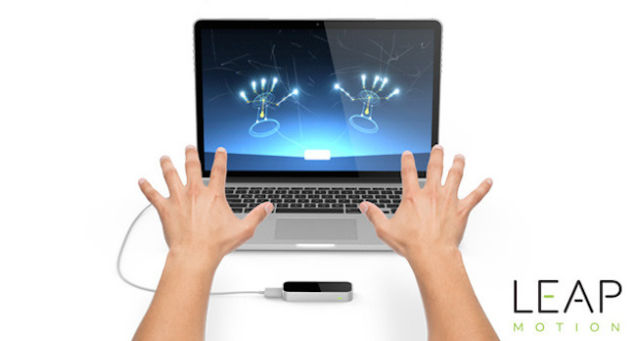
A small device placed in front of the computer or placed on a VR headset that tracks hand movement and uses them as an input device.
Demos
We currently have five demos that show off different uses for the LEAP.
Playgrounds - a simple demo demonstrating interaction. In this case picking up blocks to put on robots for heads, and picking up a flower and plucking the leaves.
Form + Function 3D - a look at hearts from a shark, salamander and cat. You can manipulate them with your hands, reveal the interior and point to reveal the names of the different structures that make up a heart as well as simulate oxygen flow.
Kyoto - Developed by Funktronic Labs, Kyoto is an interactive ambient musical experiment that gently prods the user to manipulate the environment to progress the “game”.
Sculpting - a sculpting application created by LEAP Motion themselves. It offers a solution for digital 3D sculpting using nothing more than hands. Users can manipulate a variety of materials in exotic zen locations. They can even work with underlying wireframes and save projects as .ply, .stl or .obj file to be 3D printed at a later time.
Particle Love - WebGL allows a GPU to accelerate the usage of physics, image processing and effects as part of the web page. Particle Love shows this off with up to 4 million particles falling onto a hand that can be manipulated using the LEAP Motion.
Setup
- Make sure the LEAP Motion is connected to a USB port. I find one at the back works better.
- Place the LEAP Motion in front of your monitor and make sure it's surface is clear of smudges.
- Start the LEAP Motion app on the workstation.
- Choose "Playgrounds" for an introduction.
NOTE: Particle Love is accessed through a browser. Chrome is recommended.